Best Point Cloud Annotation Tools for LiDAR in 2026
A Velodyne VLP-16 mounted on a test vehicle captures 300,000 points per second. That single second of data needs someone - or something - to draw bounding boxes around every pedestrian, car, and curb before the perception model can learn from it. LiDAR annotation is the bottleneck that determines whether an autonomous driving team ships in six months or gets stuck in data-labeling purgatory for two years.
Point cloud data is sparse, irregular, and three-dimensional. Unlike images where a rectangle covers a car, annotating a LiDAR frame means dealing with rotated cuboids, variable point density, and the need for temporal consistency across sequences. The tool you pick either makes this process manageable or turns it into a nightmare.
This article compares the eight most widely used point cloud annotation platforms in 2026: from free open-source viewers you can install today to managed services that return annotated datasets on a turnaround schedule. The comparison table comes first; the detailed reviews and selection guidance follow.
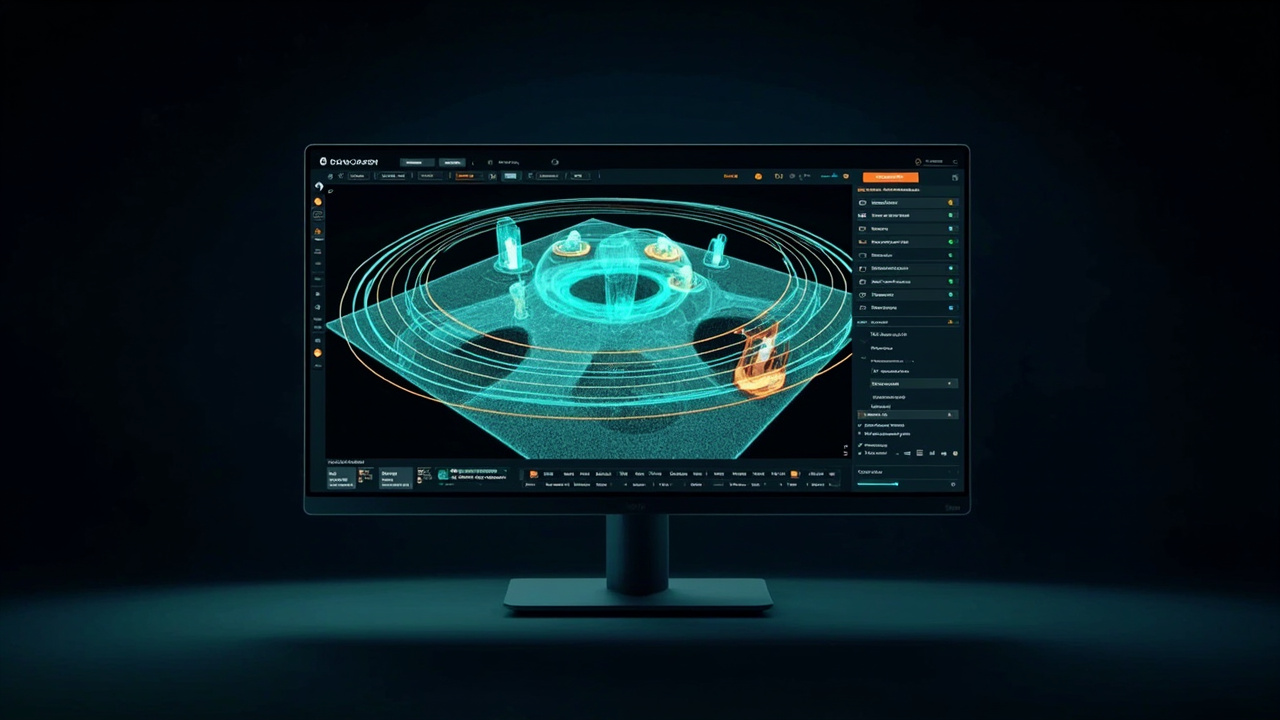
Point Cloud Annotation Tool Comparison (2026)
| Tool | Pricing | 3D Bounding Box | 3D Segmentation | AI Auto-Label | Team Collab | API/SDK | Open Source |
|---|---|---|---|---|---|---|---|
| CloudCompare | Free | Limited | Manual | No | No | C++/Python plugins | Yes (GPL) |
| Labelbox | From $1,250/mo | Yes | Yes | Model-assisted | Strong | Python SDK | No |
| V7 Labs | From $299/mo | Yes | Yes | Auto-annotate | Yes | REST API | No |
| segments.ai | From $199/mo | Yes | Strong | Pre-labels | Yes | REST + Python | No |
| BasicAI Cloud | From $300/mo | Yes | Yes | AI-assisted | Yes | REST API | No |
| SALT (Scale AI) | Per-task | Yes | Yes | SALT model | Yes | REST API | No |
| Supervisely | Free tier / Enterprise | Yes | Yes | Neural network zoo | Strong | REST + Python | Yes (Apache 2.0) |
| OpenPCDet | Free | N/A (inference framework) | Limited | Yes (pre-trained) | No | Python | Yes (Apache 2.0) |
Note: OpenPCDet is an inference/training framework, not an annotation UI. It appears in this comparison because teams use its pre-trained models to generate pre-annotations for other tools.
Why LiDAR Annotation Is Different From 2D Image Labeling
If you've only labeled 2D images, point cloud annotation feels like writing with your non-dominant hand. The core problems shift.
3D bounding boxes need rotation. An image bounding box has four coordinates. A 3D cuboid needs position (x, y, z), dimensions (length, width, height), and heading angle. Some tools also capture pitch and roll. Missing the yaw by 15 degrees means your perception model learns the wrong orientation.
Segmentation granularity varies. Semantic segmentation labels every point with a class (road, building, vegetation). Instance segmentation distinguishes Car #1 from Car #2 parked next to each other. Panoptic segmentation combines both. Tools handle these at different speeds; instance segmentation typically costs 3-5x more per frame.
Point density drops fast with distance. A LiDAR sensor like the M360 outputs 200kHz at ≤2cm ranging accuracy within 10 meters. At 40 meters, the same angular resolution means fewer points hitting distant objects. A car 40m away might get 30-50 points, enough to recognize the vehicle but not enough for pixel-accurate segmentation. The M360's IP67 rating lets you collect this data in rain and dust, which means your annotation pipeline must handle noisy outdoor scenes, not just clean indoor captures.
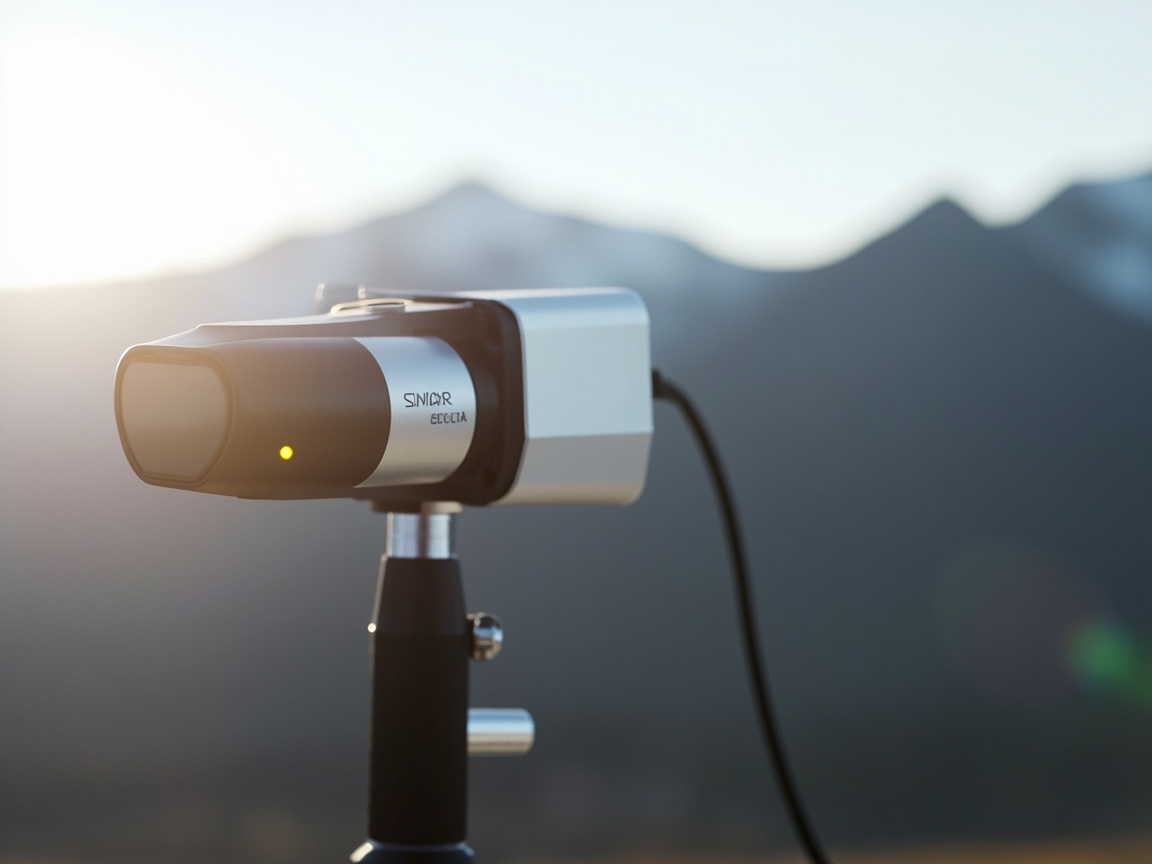
Temporal consistency across frames. Tracking applications need consistent IDs across sequences. If an annotator draws a cuboid around Car A in frame 1, shifts it slightly in frame 2, then drops it in frame 3 because the car entered a gap, your training data becomes noisy. Some platforms handle this with interpolation; others leave it to humans.
These challenges are why picking the right tool matters. A platform built for 2D image classification handles point clouds poorly or not at all.
File Format Support: What Each Tool Imports
LiDAR data comes in many formats, and not every tool reads all of them. The most common formats:
- .pcd (Point Cloud Data) - the default for the Point Cloud Library
- .las / .laz - the LiDAR industry standard for surveyed point clouds
- .ply - common from photogrammetry and CAD tools
- .bin - the KITTI/NuScenes raw format from autonomous driving datasets
- .xyz / .pts - simple text formats
- .e57 / .pts - for laser-scanned point clouds
A typical M360 capture exports to .pcd or .bin. Most platforms on this list accept .pcd directly. CloudCompare reads every format mentioned. Use it for conversion when the annotation platform you want only accepts certain inputs. Labelbox and V7 accept .pcd, .las, and .bin. segments.ai and BasicAI focus on .pcd and .bin for autonomous driving workflows. SALT accepts .bin and proprietary compressed formats.
If your data arrives in .laz from a survey-grade scanner and you need to label it, CloudCompare is the most reliable conversion path. If you're working with autonomous driving .bin files, every commercial platform here handles them.
Before annotation, raw LiDAR scans typically need registration. For a deep dive into algorithm selection, see our point cloud registration algorithm comparison. For how annotation supports inspection workflows, see our LiDAR tunnel inspection guide.
CloudCompare
CloudCompare is a free, open-source 3D point cloud processing tool. It handles visualization, segmentation, distance computation, and manual annotation through plugins. It's not built primarily as an annotation platform. It's a point cloud viewer and editor that happens to support labels.
Where CloudCompare excels: format support. It reads .pcd, .las, .laz, .ply, .xyz, .e57, and dozens of proprietary formats. It renders billion-point clouds smoothly with octree-based LOD. It includes tools for manual segmentation, plane fitting, and distance measurement. For academic researchers and surveyors who need to inspect and annotate without committing to a commercial platform, CloudCompare is the default starting point.
Where CloudCompare falls short for production annotation: no team collaboration, no AI auto-labeling, no temporal tracking for sequences. Annotation output is plugin-dependent, and the UX for drawing cuboids is clunky compared to V7 or segments.ai. CloudCompare works for solo researchers and one-off projects. For team-based labeling at scale, you'll move to something else.
Use CloudCompare as your data inspection and conversion layer. Use it to verify a capture before uploading to a labeling platform. Use it for research and academic projects where budget is zero and volume is low.
Labelbox
Labelbox positions itself as an enterprise data labeling platform with a catalog of supported modalities, including 3D point clouds. The platform handles cuboid annotation, semantic segmentation, and multi-sensor fusion (camera + LiDAR + radar on the same timeline).
Labelbox's strength is the catalog and ontology management. Teams that need to track dozens of annotation categories across projects with complex taxonomies find Labelbox's tooling more mature than competitors. The model-assisted labeling pipeline lets you upload pre-annotations from your model, queue them for human review, and measure annotator agreement against consensus.
Pricing starts around $1,250/month for the platform tier, on the higher end among comparable tools. Enterprise pricing adds managed services, SLA guarantees, and dedicated support. The cost makes sense for companies labeling millions of frames across diverse projects. For small autonomous driving teams, it's overkill.
Labelbox fits organizations that need enterprise governance, audit trails, and complex workflow management. If you're a Fortune 500 running annotation programs across multiple product lines, Labelbox's overhead pays for itself.
V7 Labs
V7 Labs takes an auto-annotate-first approach. You upload point cloud data, the platform runs internal models to generate initial annotations, and human annotators review and correct. For standard categories (cars, pedestrians, trucks), the auto-annotation accuracy is high enough that human work becomes verification rather than from-scratch labeling.
V7's 3D viewer handles cuboid rotation with a click-and-drag interface that's faster than most competitors. The platform supports 3D semantic segmentation and polygon annotation on point clouds. Video sequences get tracking propagation that interpolates cuboid positions between manually annotated keyframes.
At $299/month for the platform tier, V7 sits in the mid-range. V7 also offers a managed annotation service where their team does the labeling work. Pricing for that is per-project and volume-dependent. The combination of auto-annotation and managed services makes V7 attractive for teams that want to start quickly and gradually bring labeling in-house.
One limitation: V7's export formats are somewhat rigid. If you need a custom annotation format beyond KITTI, NuScenes, or COCO-style 3D, you'll spend time writing conversion scripts.
segments.ai
segments.ai built its reputation on point cloud segmentation. The platform handles 3D bounding boxes and semantic/instance segmentation with a web interface that feels purpose-built for LiDAR data rather than adapted from 2D.
Segmentation quality stands out. segments.ai handles dense point clouds well (the kind you get from high-frequency sensors at 200kHz) and provides interpolation tools for maintaining consistency across frames. Annotators can propagate labels from frame to frame with manual correction, cutting repetition.
Pre-labeling uses your own models. Upload predictions and the platform presents them for review. The model-in-the-loop approach is now standard, but segments.ai implements it with clear diff views between predicted and corrected annotations.
At $199/month for the starter tier, segments.ai sits toward the affordable end of commercial options. The UI is intuitive enough that new annotators start producing usable cuboids within a few hours. For teams focused on segmentation-heavy LiDAR work without the budget for Scale AI's managed services, segments.ai hits a good price-to-feature ratio.
BasicAI Cloud
BasicAI Cloud is a managed annotation platform with 3D point cloud capabilities. The platform supports cuboid annotation, semantic segmentation, and multi-sensor annotation. BasicAI's differentiator is a combination of AI-assisted pre-labeling and a large in-house annotation workforce available for managed service contracts.
Pricing starts around $300/month for self-service platform access. Managed annotation services are priced per task. For teams that want a middle path between self-service platforms and Scale AI's higher-end managed services, BasicAI fills a gap.
The platform supports .pcd, .bin, and .las formats. Annotation quality on standard autonomous driving categories (cars, pedestrians, cyclists) is solid. For unusual categories or domain-specific objects (construction equipment, agricultural machinery), you'll need to provide detailed guidelines and expect longer turnaround.
BasicAI works for teams that need flexibility, sometimes self-service and sometimes fully managed, without committing to a single model.
SALT (Scale AI)
SALT is Scale AI's proprietary model for automated 3D annotation. Scale uses SALT internally to pre-annotate data before sending it to human reviewers, and customers can access SALT-generated pre-annotations through Scale's API. For standard autonomous driving categories, SALT's pre-annotation accuracy is high enough that human work focuses on edge cases.
Scale AI operates at a different scale than the other platforms here. It's not just software. It's an annotation workforce. You upload raw LiDAR data and get annotated frames back, typically within days for standard categories. Scale handles sensor fusion annotation (camera + LiDAR + radar) and maintains publicly documented annotation guidelines for autonomous driving benchmarks.
The catch is cost and flexibility. Scale charges per annotation task rather than per seat, which means large datasets get expensive fast. Complex categories take longer and cost more. You're also dependent on Scale's turnaround time. If you need rapid iteration on annotation guidelines, it's slower than having in-house annotators on your own platform.
SALT-generated pre-annotations are useful even if you don't use Scale's managed service. You can download SALT predictions, import them into segments.ai or V7 for human review, and pay Scale only for the model predictions, not the full managed workflow.
Supervisely
Supervisely is a full computer vision platform covering annotation, model training, deployment, and inference in one environment. It supports 3D point clouds with cuboid, polygon, and segmentation annotation. The open-source (Apache 2.0) version runs on your infrastructure; enterprise licensing adds managed cloud hosting and support.
What separates Supervisely from pure annotation tools is the neural network zoo. Apply pre-trained models (PointNet++, PointPillars, custom checkpoints) to your data for auto-annotation. Supervisely runs inference on your data, generates predictions, and presents them in the annotation interface for human review.
Team collaboration features are strong. Supervisely supports role-based access, annotation workflows with approval chains, and analytics on annotator speed and agreement rates. For large annotation teams, these management features matter more than viewer polish.
The downside is complexity. Supervisely has a learning curve. Setting up the neural network zoo, configuring training pipelines, and managing multi-team annotation projects requires someone who knows the platform well.
Supervisely fits teams that want a single platform covering the entire CV pipeline. If you're running 50+ annotators and need quality management tools, Supervisely is worth the learning curve.
OpenPCDet
OpenPCDet deserves mention even though it's not an annotation UI. It's an open-source, PyTorch-based framework for 3D object detection from point clouds, with pre-trained models on KITTI, NuScenes, and Waymo Open Dataset.
Teams use OpenPCDet in the annotation pipeline like this: train (or download) a detection model on public datasets, run inference on your own captured data, export the predictions as pre-annotations, then import them into your chosen annotation platform for human review. This workflow dramatically reduces manual labeling effort.
For example, point OpenPCDet at .bin files captured by an M360-equipped test vehicle, get predicted cuboids in seconds, and feed those predictions into V7 or segments.ai for human correction. The annotator's job shifts from "draw cuboids from scratch" to "fix cuboids the model got wrong," a 5-10x productivity improvement.
OpenPCDet is free and runs on your own GPU. The pre-trained models work reasonably well out of the box for standard categories. For domain-specific objects, you'll need to fine-tune on your own data, which requires labeled training data first. Chicken-and-egg, but solvable with a small initial labeling effort.
Automation Trends: SAM-3D and Foundation Models
Large pre-trained models are starting to change point cloud annotation. Meta's Segment Anything Model (SAM) transformed 2D image segmentation; SAM-3D and similar projects extend the idea to 3D point clouds. Early results show that a single SAM-3D prompt can segment an object across multiple frames with minimal human input.
CVML (Computer Vision Markup Language) and related standardization efforts aim to make annotation formats interoperable across platforms. If CVML adoption grows, switching annotation platforms becomes easier. You export once and import anywhere.
For most teams, these trends matter as workflow improvements, not as reasons to wait. Start annotating now with current tools; adopt pre-trained-model-assisted features as they mature. The cost of waiting for the perfect tool is usually higher than the productivity gains from automation improvements.
Cost Comparison: Per-Frame Annotation Pricing
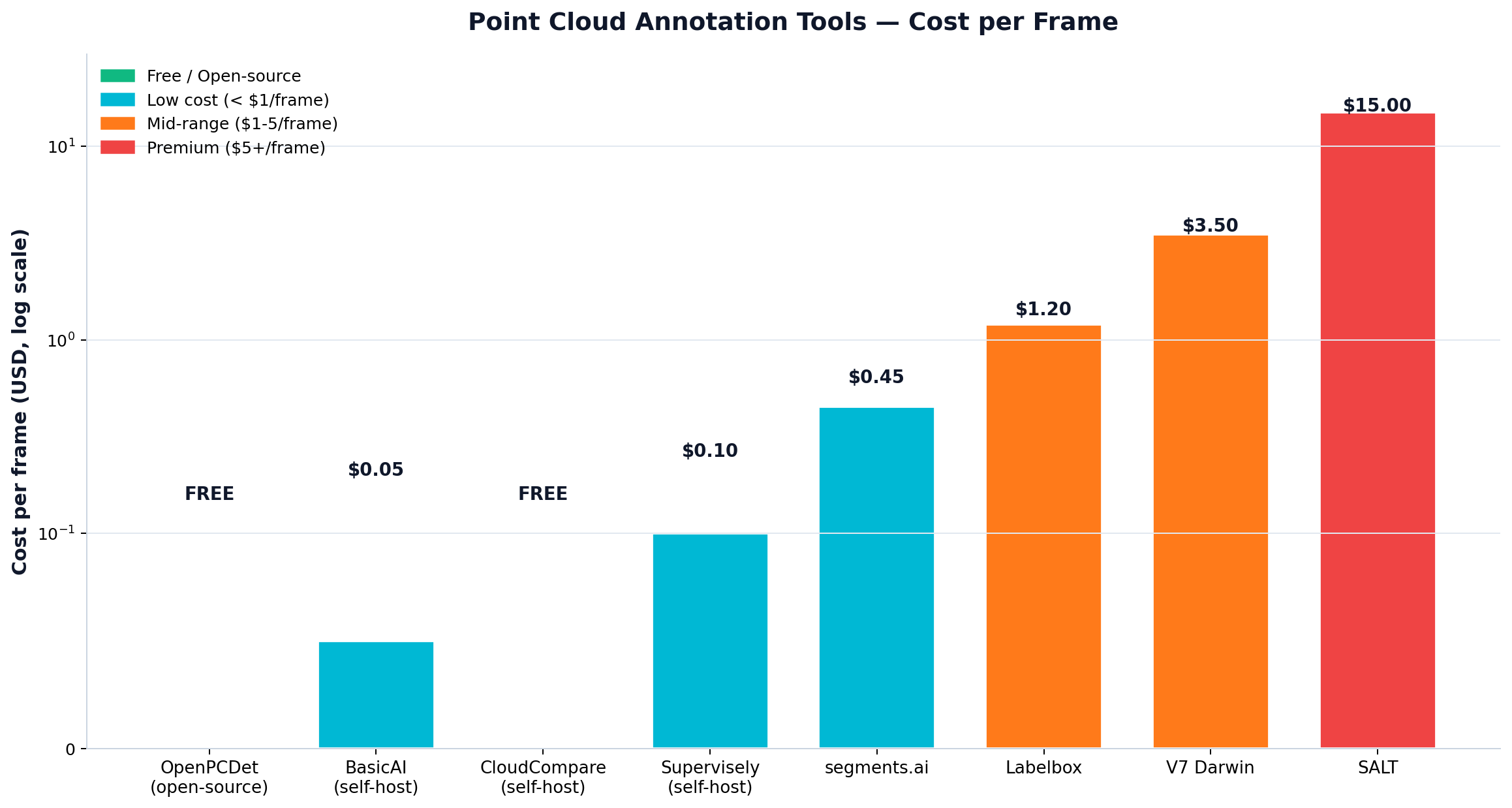
Annotation cost varies by category complexity and automation level:
| Method | Typical Cost per Frame | Quality | Speed |
|---|---|---|---|
| Pure manual (in-house) | $0.50-$2.00 | High (with trained team) | 3-8 min/frame |
| Manual via commercial platform (self-service) | $1.50-$5.00 | High | 2-5 min/frame with platform tools |
| AI pre-label + human review | $0.30-$1.00 | High | 30 sec-2 min/frame review |
| Managed service (Scale AI / BasicAI) | $3.00-$15.00 | Very high | Days turnaround |
| Fully automated (SALT predictions) | $0.05-$0.50 | Medium (standard cats) | Seconds/frame |
A typical autonomous driving team labeling 100,000 frames with AI pre-labeling spends $30,000-$100,000 on annotation. Pure manual in-house costs more in salary but less in per-frame fees; break-even depends on team size and utilization.
Selection Guide by Use Case
Small robotics startup (under 10 people, mixed 2D/3D): Start with Hasty.ai or V7's free tier for proof-of-concept. Move to segments.ai ($199/mo) when 3D segmentation becomes the bottleneck. Use OpenPCDet for free pre-annotations.
Autonomous driving team (50-500 people, large datasets): Scale AI for managed labeling, with V7 or segments.ai for in-house review workflows. Budget $200k-$2M annually depending on dataset size.
Academic research lab (budget = $0): CloudCompare for visualization, OpenPCDet for pre-trained models, Label Studio for custom annotation workflows if you need team features.
Enterprise with multiple labeling programs: Labelbox for governance, or Supervisely for an all-in-one pipeline with team management.
Indoor robotics / SLAM research: CloudCompare for inspection, Supervisely for annotation, OpenPCDet only if you need detection pre-annotations.
Surveying / mapping (outdoor, large area): CloudCompare for .las/.laz handling, segments.ai for labeled point cloud outputs. The IP67-rated M360 sensor works well for outdoor capture; pair it with a labeling platform that handles environmental noise in the point cloud.
Practical Recommendations
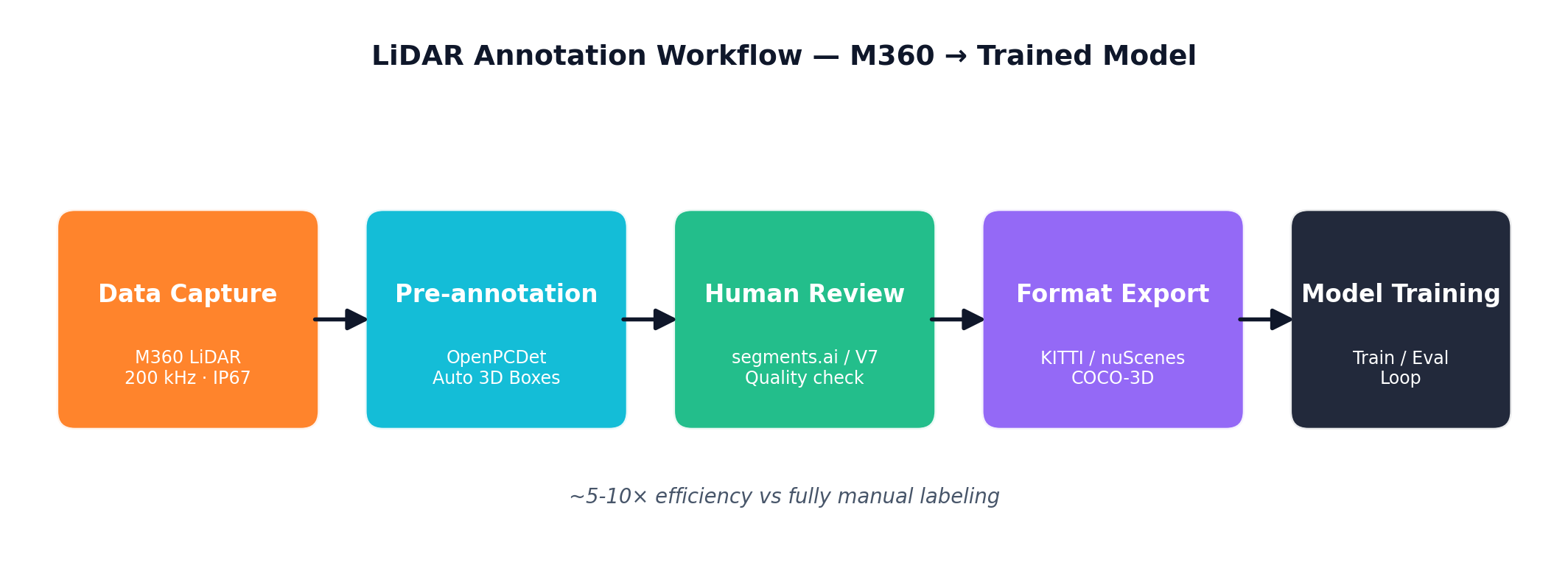
Most teams don't need to get this choice perfect on the first try. Start with a free tier or trial, annotate a sample dataset of 500-1,000 frames, evaluate the export quality, then commit. Switching tools after annotating a few hundred frames is annoying but not catastrophic. Switching after labeling 50,000 frames is painful.
Two operational notes from teams running these workflows:
The data collection side determines annotation difficulty more than tool choice. Capturing LiDAR data with a properly mounted sensor (like the M360 at 200kHz with IP67 protection for outdoor environments) gives you clean point clouds that are easier to label. See the M360 vs MID-360 comparison for how sensor specs affect downstream annotation requirements.
The labeling guidelines matter as much as the tool. Spend a week writing clear guidelines with example images and edge-case handling before training annotators. Tools enforce quality; guidelines define what quality means.
Need help designing an annotation workflow that matches your LiDAR sensor setup and dataset size? Get in touch with our team. We work with robotics teams every day on sensor integration and data pipeline decisions.