A warehouse in Shenzhen runs 12 AGVs on 1.2m-wide aisles. Their 2D LiDARs have a 10cm blind zone. Pallet feet are 5cm. The math says they miss 5cm of the most collision-prone obstacle on the floor — and they do, roughly twice per shift.
They swapped to a sensor with a 5cm blind zone. Collision incidents dropped from ~18/month to 3/month in the first billing cycle. The sensor cost them $200 more per unit.
That's the kind of thing that doesn't show up in a side-by-side spec comparison. This guide covers the parameters that actually matter in real warehouse and factory deployments.
1. Why LiDAR Matters More Than Ever in 2026
The global AGV/AMR market is projected to exceed $6 billion in 2026, driven by warehouse automation, labor shortages, and the push for flexible manufacturing. But a robot's intelligence is only as good as its perception system — and that's where most projects stumble.
LiDAR is still the go-to for mobile robot navigation. It gives precise distance data in any lighting, works without modifying your facility (unlike floor tape), and has the angular resolution that ultrasonic sensors can't match.
The 2026 market looks different from even two years ago. Mechanical spinning LiDARs have dropped in price. Solid-state units are mainstream now. And 3D LiDAR — once exclusive to autonomous vehicles — is affordable enough for warehouse robots. More options is good, but it also makes the selection process harder.
Note: This guide covers LiDAR for navigation and primary obstacle avoidance. Safety-rated LiDAR systems (IEC 61496 Type 3 certified scanners) are a separate topic — talk to your safety engineer if that's what you need.
2. Core LiDAR Requirements for AGV/AMR Navigation
No matter what kind of AGV or AMR you're building, the navigation LiDAR has to nail six things.
2.1 Detection Range & Braking Distance
The effective detection range has to exceed the robot's braking distance at max speed. This sounds obvious, but it's the #1 spec we see teams get wrong.
Quick math: An AGV going 1.5 m/s with 0.5 m/s² deceleration needs ~2.25m to stop. Add 200ms reaction time (0.3m extra travel), and you're at 2.55m minimum — under worst-case conditions like low-reflectivity targets or partial occlusion.
For most indoor AGVs, 10–40m is plenty. Outdoor transport AGVs at higher speeds need 40–80m. One trap: rated range ≠ effective range. Always check what reflectivity the range is based on. 10% reflectivity (dark objects) typically cuts the rated range by 50–60%.
2.2 Near-Field Blind Zone
The blind zone is the minimum detection distance. For AGVs, the most dangerous obstacles are often the closest ones — pallet feet, cables, dropped tools, forklift tines.
In warehouses, ground obstacles range from 2 to 10cm tall. A LiDAR with a 10cm blind zone will flat-out miss a 5cm pallet foot. Your AGV runs over it. A 5cm blind zone catches it every time.
Our recommendation: Get ≤5cm blind zone for any AGV working around small ground obstacles. The difference between 5cm and 10cm is something you feel in operations, not on paper.
2.3 Field of View (FOV)
FOV determines what the LiDAR can "see" without repositioning. For mobile robots, the vertical FOV matters most.
A wide vertical FOV (70°+) at top-mount lets the sensor see ground, body-level obstacles, and ceiling features simultaneously. Shelf navigation benefits a lot here — ceiling contour matching gives you an extra localization anchor.
Horizontal 360° is standard for navigation LiDARs (mechanical rotation or non-repetitive scanning). Directional units with 90°–120° horizontal FOV work better for safety-zone scanning than primary nav.
2.4 Scan Rate & Point Density
Point rate (points per second) determines how much detail your SLAM algorithm gets. At 200,000 pts/s, a 3D LiDAR builds much richer maps than a typical 2D scanner at 4,500 pts/s.
Higher point density means better obstacle classification, more reliable SLAM maps, and tighter docking alignment. For AMRs sharing space with humans, the frame rate matters too — 10 Hz or higher.
2.5 Environmental Protection (IP Rating)
Climate-controlled indoor warehouses can get by with IP54. Cross dock doors, wet zones, or cleaning crews? Go IP65 or IP67.
IP67 (full dust + temporary immersion) is becoming the default for any robot that might see water, dust, or pressure washing. The price bump from IP54 is small compared to a sensor failure in the middle of a shift.
2.6 Power Consumption & Form Factor
On 8+ hour shifts, every watt matters. A LiDAR at 4.5W vs 8W saves 3.5W — sounds small, but at 24V over a 10-hour shift that's ~35Wh, roughly 7–10 minutes of extra runtime. It also affects battery sizing and heat dissipation.
Weight matters too. A 408g sensor drops onto a lightweight AMR without changes. A 1.2kg unit might need structural work. Lighter is always better for mobile platforms.
3. How AGV Scenarios Demand Different LiDAR Specs
There's no single "best" LiDAR. It depends entirely on where your robot actually works. Here's how the requirements shift across four common environments.
3.1 Warehouse AGVs: Narrow Aisles & Shelf Navigation
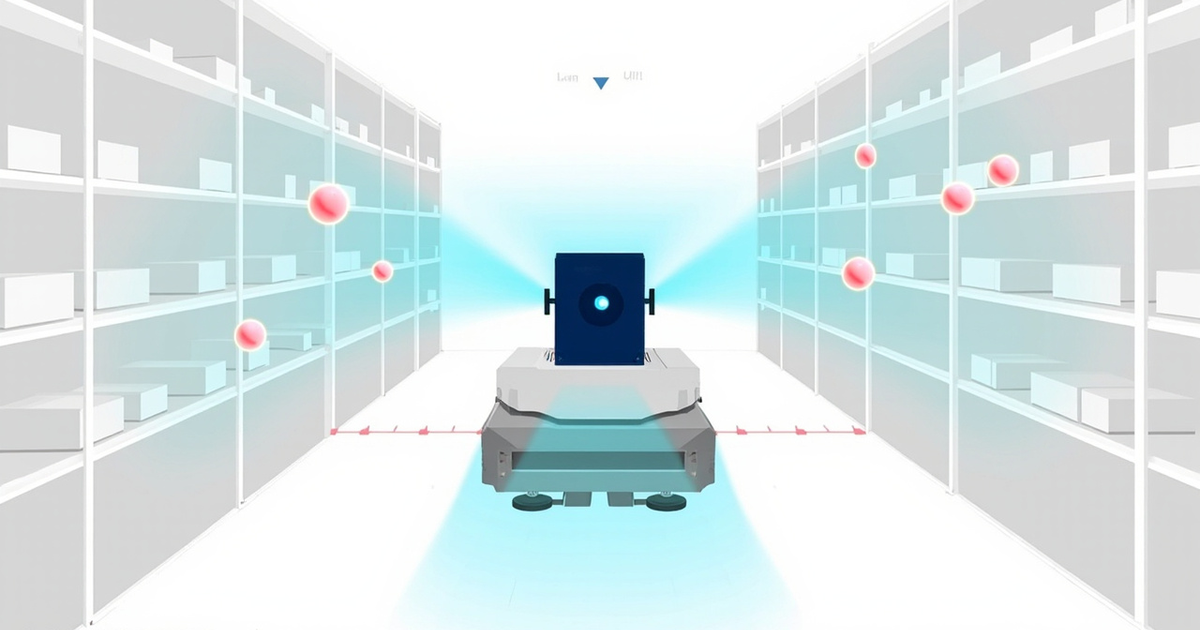
Warehouse AGVs work in the tightest spaces. Aisles down to 1.2m, pallet overhangs, shelf legs, shrink wrap on the floor — it's a dense obstacle field.
Priority specs:
- Blind zone ≤5cm — Non-negotiable. Pallet feet (3–8cm) and shrink wrap scraps (2–5cm) are everywhere.
- Vertical FOV ≥59° — Needed for ceiling-based localization. In tall warehouses, wider vertical FOV (70°) allows ceiling contour matching as an additional position fix.
- 3D capability — 2D LiDAR scanning at shelf height misses objects below and above the scan plane. 3D LiDAR catches pallet feet, overhead obstructions, and aisle-end obstacles simultaneously.
- IP65+ — Dock doors, cleaning schedules, and condensation from temperature changes make IP65 a practical minimum.
3.2 Production-Line AMRs: Dynamic Avoidance & Human Coexistence
Factory AMRs share space with workers, forklifts, and layouts that change frequently. The hard part isn't just detecting obstacles — it's classifying them fast enough to make safe decisions.
Priority specs:
- High point rate (≥100,000 pts/s) — Rich point clouds enable better obstacle classification (human vs cart vs fixed object).
- Frame rate ≥10 Hz — Fast frame updates are critical for real-time path replanning around moving workers.
- Blind zone ≤10cm — Feet, tool handles, and materials on the floor are common. 5cm is preferred.
- Anti-interference — Multiple robots running simultaneously? LiDAR-to-LiDAR interference degrades perception fast. Get sensors with proven anti-interference or dual-echo.
3.3 Outdoor Heavy-Duty AGVs: Rain, Dust & Extreme Temperatures
Outdoor AGVs in logistics yards, construction sites, and port terminals get hit with everything. Rain, dust, temperature swings, vibration — it never stops.
Priority specs:
- IP67 (minimum) — Full dust and water protection. IP54 is completely inadequate here.
- Dual echo — Raindrops create false returns on single-echo LiDARs. Dual echo can "see through" rain to detect actual obstacles behind the precipitation.
- Operating temperature range ≥-10°C to +60°C — Outdoor environments in most climates fall within this range, but verify for your specific deployment region.
- Detection range ≥40m — Outdoor AGVs typically travel faster than indoor counterparts, requiring longer detection ranges for safe braking.
- Vibration resistance — Uneven terrain is constant. Solid-state or ruggedized mechanical units only.
3.4 Delivery Robots: Low Power & Lightweight Design
Last-mile delivery robots are all about range and weight. Every gram and watt directly affects how far the robot travels on a charge — and whether the unit economics work.
Priority specs:
- Weight ≤500g — Lightweight sensors are essential for small-form delivery platforms that need to carry payload.
- Power consumption ≤5W — Low power extends operational range, especially in robots running 12–24V battery systems.
- IP65–IP67 — Delivery robots operate outdoors in all weather conditions.
- Blind zone ≤5cm — Sidewalk curbs, steps, and small debris are common obstacles in last-mile environments.
- Wide voltage input range — Some delivery bots use non-standard batteries (8S LiPo at 29.6V). A sensor supporting 12–32V avoids separate DC-DC converters.
| Parameter | Warehouse AGV | Factory AMR | Outdoor AGV | Delivery Robot |
|---|---|---|---|---|
| Blind Zone | ≤5cm (critical) | ≤10cm (preferred 5cm) | ≤10cm | ≤5cm |
| Vertical FOV | ≥59° (70° preferred) | ≥45° | ≥45° | ≥59° |
| Range | 10–30m | 10–30m | 40–80m | 20–50m |
| IP Rating | IP65+ | IP54–IP65 | IP67 | IP65–IP67 |
| Power | ≤8W | ≤8W | ≤10W | ≤5W |
| Dual Echo | Nice to have | Nice to have | Required | Nice to have |
| 2D vs 3D | 3D preferred | 3D preferred | 3D preferred | 3D preferred |
| Weight | ≤1kg | ≤1kg | ≤1.5kg | ≤500g |
4. Key Parameters Decoded: What Actually Matters
LiDAR spec sheets are full of numbers. This section walks through the ones that actually make a difference in your robot's performance.
4.1 Blind Zone: The Most Underrated Spec
Most engineers focus on max range. In our experience, the blind zone matters more for most AGV/AMR applications.
The most common collision scenarios involve objects within 1 meter — not 50 meters away. Forklift tines from a pallet. A cable on the floor. A foot at the edge of a crossing zone. All near-field.
We switched a customer from a 10cm blind zone LiDAR to 5cm in a 1.2m-aisle warehouse. Wall-contact incidents dropped almost to zero. That 5cm difference literally pays for itself in reduced damage.
When comparing blind zone specs, check the measurement conditions. Some manufacturers quote blind zone under ideal conditions (highly reflective target at close range). Real-world performance with dark or low-reflectivity objects can be 50% worse.
4.2 FOV: Not Just About Coverage
The vertical FOV distribution matters as much as the total angle. A 70° FOV split -10°/+60° behaves very differently from -35°/+35°.
For AGVs, an asymmetric distribution favoring upward coverage is generally better:
- Upward coverage enables ceiling contour matching — a powerful localization technique in feature-poor environments like long, uniform corridors.
- Downward coverage at -10° puts ground-level detection at ~26cm from the sensor base (at 1.5m mount height) — plus blind zone distance.
Side-mount changes the effective FOV. A 70° sensor tilted 15° forward effectively scans from -25° to +45° relative to horizontal — you gain ground coverage but lose ceiling. Plan mount angle and FOV together.
4.3 Power Consumption: The Hidden Cost Driver
LiDAR power consumption hits three things: battery sizing (bigger batteries = more cost and weight), heat dissipation (may need active cooling), and cable sizing (cumulative draw matters in multi-sensor setups).
For reference, a 3.5W difference between two sensors works out to 28–35Wh over an 8-hour shift. That can be the difference between one-shift and two-shift operation on the same battery.
4.4 IP Rating: Don't Learn This the Hard Way
We've seen real production failures from:
- Water spray from a floor cleaner hitting a non-sealed housing
- Dust buildup on optics in a sawmill that cut detection range by 40%
- Condensation inside the housing from temperature cycling between dock and warehouse
If there's any chance of water, dust, or condensation, spec IP67 from day one. The incremental cost over IP54 is small compared to a field service visit.
4.5 Dual Echo: Your Rainy-Day Insurance Policy
Dual echo (multi-echo) lets the LiDAR receive multiple returns from a single laser pulse. In practice: the sensor detects both the raindrop (first echo) and the obstacle behind it (second echo).
Single-echo mode treats raindrops as obstacles, causing unnecessary emergency stops. Dual-echo mode filters out precipitation and keeps perception reliable.
Dual echo also helps with glass detection — a common pain point in factories with glass partitions and transparent safety guards. First echo gives the glass surface, second echo reveals what's behind it.
4.6 Anti-Interference: The Multi-Robot Factor
When multiple LiDAR-equipped robots operate in the same space, their laser beams cross paths and create false returns. This gets nasty in fleet deployments with 5–20 robots sharing a warehouse.
Look for LiDARs with built-in anti-interference — either hardware-based (unique pulse patterns) or software-based (echo filtering). In multi-robot environments, this is not optional.
5. 2D vs 3D LiDAR: Making the Right Call
The 2D vs 3D debate is tilting toward 3D for most AGV/AMR work, but 2D still has its place. Let's be honest about when each makes sense.
When 2D LiDAR Is Sufficient
2D (single-plane scanning) works fine when:
- Your robot operates in a flat, structured environment with obstacles at a known height
- The budget is tight (under $200 for the sensor)
- Primary use case is basic 2D SLAM localization, not full environmental perception
- Other sensors (cameras, ultrasonics) handle detection outside the scan plane
2D LiDARs are mature, cheap, and well-supported in ROS. They're still a valid call for simple warehouse AGVs on fixed routes with known obstacle profiles.
When 3D LiDAR Is Worth the Investment
3D (volumetric scanning) becomes the better call when:
- Your robot needs to detect obstacles at varying heights — ground clutter to overhead obstructions
- You're in dynamic environments with unpredictable obstacle profiles
- Precision docking needs 3D spatial awareness
- Ceiling-based localization would augment floor-level SLAM
- Emerging safety standards require full 3D coverage
The price gap has narrowed a lot. In 2026, a capable 3D LiDAR runs about 3–5x more than a quality 2D unit — but delivers 10x+ the environmental data. For most new AGV/AMR projects, 3D is the clear choice. If you're ready to make the switch, see our step-by-step 2D to 3D migration framework.
See also: 2D vs 3D LiDAR Upgrade Guide for a deeper comparison.
| Factor | 2D LiDAR | 3D LiDAR |
|---|---|---|
| Scan output | Single horizontal plane | 3D volumetric point cloud |
| Point rate | ~3,000–15,000 pts/s | ~100,000–300,000 pts/s |
| Obstacle detection | Single height plane only | Full height profile |
| Typical cost | $100–500 | $500–2,000 |
| SLAM compatibility | Well-established (Cartographer, gmapping) | Supported (FAST-LIO2, LIO-SAM, Point-LIO) |
| Computation demand | Low | Medium–High |
| Best for | Simple localization, budget builds | Full perception, dynamic environments |
6. Multi-Sensor Fusion: Why LiDAR Alone Isn't Enough
No single sensor handles everything. Even the best LiDAR can't read text on signs, tell a human from a mannequin, or reliably detect highly absorptive black matte surfaces. That's why modern AGV/AMR perception stacks combine multiple sensor types.
LiDAR + Camera
The most common fusion pair. LiDAR provides geometry; cameras provide semantics (classification, color, texture). Together they enable:
- Obstacle classification: "That's a human, slow down" vs "That's a pallet, go ahead."
- Visual SLAM augmentation: Camera features complement LiDAR geometry in SLAM
- Signage reading: Cameras handle zone markers, QR codes, and text labels
LiDAR + Ultrasonic
Ultrasonic sensors fill the blind zone gap — especially for transparent objects (glass) and very close-range obstacles (0–30cm). Cheap, simple, works in any lighting.
Common setup: LiDAR for primary nav and mid-range detection, ultrasonics for close-range safety, cameras for classification and visual SLAM.
LiDAR + IMU
IMU data is essential for LiDAR-based SLAM. It provides high-frequency orientation and acceleration data that compensates for robot motion between scans. When the LiDAR has a built-in IMU with hardware-level time sync (PTP v2), fusion happens at nanosecond precision — no manual timestamp alignment needed.
Practical tip: If your LiDAR has a built-in IMU with PTP sync, use it. External IMU modules need manual timestamp alignment, which adds error and integration complexity. The built-in one may not match a dedicated high-end IMU on raw accuracy, but the tight time sync usually produces better SLAM results.
7. Mounting Position: Top-Mount vs Side-Mount
Where you put the LiDAR changes what it can see. Two primary options, each with real tradeoffs.
Top-Mount (Center, High Position)
LiDAR on top of the robot, typically 0.8–2.0m above ground. Most common for navigation LiDARs.
Advantages:
- 360° horizontal coverage with no obstruction from the robot body
- Wide vertical FOV covers ceiling features and ground simultaneously
- Less exposure to ground-level impacts and splashing
- Clear line of sight for SLAM landmarks
Tradeoffs:
- Ground-level blind distance increases with mount height (at 1.5m with 10° down, nearest ground point is ~26cm ahead + blind zone)
- Higher center of gravity — minor but worth noting on fast platforms
- More visible, potentially vulnerable to low-hanging obstructions in tight spaces
Side-Mount (Front/Side, Lower Position)
Mounted on the front or sides, typically angled down 10–20°.
Advantages:
- Better ground-level coverage — catches curbs, steps, small obstacles ahead
- Directional focus matches travel direction
- Lower mounting reduces ground blind distance
Tradeoffs:
- Limited horizontal coverage (needs extra sensors for rear/side)
- More exposed to ground-level impacts and debris
- No ceiling-based localization
The hybrid approach — top-mount for SLAM + front-mount for close-range detection — is getting popular for mid-range and high-end platforms. You get 360° coverage from above and ground-level sensitivity in front.
8. Selection Decision Checklist
Before evaluating specific models, work through these questions. They'll usually narrow your options to 2–3 candidates. For a more structured approach, you can also follow our data-driven AGV LiDAR selection framework which covers environment profiling, scenario matching, and a 15-point evaluation checklist.
Step 1: Define Your Environment
| Question | Impact on Selection |
|---|---|
| Indoor / Outdoor / Semi-outdoor? | Determines IP rating, temperature range, dual echo need |
| Rain, snow, or dust exposure? | IP67 + dual echo becomes mandatory |
| Lighting conditions? | LiDAR is light-independent; cameras may need supplementation |
| Floor surface type? | Glass, highly reflective, or very dark floors challenge all sensors |
| Obstacle types? | Transparent (glass), low-profile (cables), or overhead (shelf edges) |
Step 2: Define Your Robot Requirements
| Question | Impact on Selection |
|---|---|
| Maximum speed? | Determines minimum required detection range |
| Robot width / aisle clearance? | Determines blind zone sensitivity |
| Battery voltage / capacity? | Determines acceptable power consumption and input voltage range |
| Maximum sensor weight budget? | Determines form factor constraint |
| Number of LiDAR units planned? | Multi-sensor setups need anti-interference and low per-unit power |
Step 3: Define Your Software Stack
| Question | Impact on Selection |
|---|---|
| ROS / ROS2 support? | Verify driver availability and community support |
| SLAM algorithm planned? | Some algorithms work better with certain point patterns |
| Compute platform? | Higher point rates require more processing power |
| Sensor fusion architecture? | IMU integration, timestamp sync (PTP), and data format matter |
Step 4: Evaluate & Test
- Shortlist 2–3 LiDAR candidates based on requirements above
- Get eval units from each vendor
- Test in your actual environment for at least 5–7 days
- Compare: point cloud quality, blind zone performance, noise, compute load
- Compare total cost of ownership: sensor price + integration time + reliability risk
We always prototype before buying in bulk. A few hundred dollars on an eval unit beats discovering problems after deploying 20 robots.
9. Where the M360 Fits Across AGV Scenarios
We'd be doing you a disservice writing a selection guide without positioning our own product. The M360 3D LiDAR was designed for mobile robotics, and its specs line up well with a lot of AGV/AMR use cases. Here's an honest look.
See also: M360 Parameter Comparison for detailed specs.
M360 Key Specifications
| Parameter | M360 Specification |
|---|---|
| Scan type | 360° non-repetitive scanning |
| Point rate | 200,000 pts/s |
| Detection range | 0.05–50m (90% reflectivity) |
| Blind zone | 5cm |
| FOV | 70° (vertical) x 360° (horizontal) |
| IP rating | IP67 |
| Weight | 408g |
| Power consumption | <4.5W |
| Dual echo | Yes (first + second return) |
| Built-in IMU | 6-axis with PTP v2 time sync |
| Operating temperature | -10°C to +60°C |
| Power input | 12–32V |
| Dimensions | 78 x 78 x 81mm |
Scenario Fit Assessment
Warehouse AGV — Strong Fit
The 5cm blind zone directly handles the most common warehouse obstacle profile (pallet feet, shrink wrap, cables). 70° vertical FOV supports ceiling-based localization in narrow aisles. IP67 covers dock-door condensation and cleaning moisture. This is arguably the M360's best scenario.
Factory AMR — Strong Fit
200kHz point rate gives rich point clouds for classifying obstacles in human-robot coexistence zones. Built-in anti-interference matters in multi-robot factory deployments. Dual echo handles glass partitions common in production areas.
Outdoor Heavy-Duty AGV — Strong Fit
IP67, dual echo, -10°C to +60°C range, and 12–32V input are exactly what outdoor deployments need. Dual echo cuts through rain; IP67 handles dust — the two biggest outdoor failure modes.
Delivery Robot — Strong Fit
408g weight and <4.5W power fit weight- and power-constrained platforms. IP67 handles all-weather operation. 5cm blind zone catches sidewalk curbs and debris that larger blind zones miss.
Where the M360 May Not Be the Best Choice
- Ultra-long-range outdoor use (80m+ detection range) — 50m rated range may not be enough for highway-speed or large-yard transport.
- Ultra-low-cost builds — If the whole perception budget is under $200, 2D LiDAR is still the cheaper option.
- Safety-certified scanner requirements — M360 is built for navigation and obstacle avoidance, not IEC 61496 Type 3 safety certification.
10. Final Thoughts
LiDAR selection compounds over time. The right sensor reduces field incidents, lowers maintenance, and makes your SLAM stack more reliable. The wrong one creates recurring headaches that cost far more than the sensor itself.
A few things we keep coming back to, project after project:
Start with your actual environment, not the spec sheet. Knowing whether you're indoor/outdoor, what extremes you face, and what your budget looks like eliminates 80% of candidates before you start comparing numbers. Weight the blind zone heavily — for indoor and semi-outdoor AGVs, it's the spec that matters most in daily operations. 3D LiDAR is no longer a luxury; the price gap has closed enough that it should be the default for any new project. Always prototype before buying in bulk; every facility is different and a week of real-world testing beats hours of spec comparison. And think about the fleet, not just one robot — anti-interference, power budget, and integration complexity all scale.
LiDAR keeps getting smaller, cheaper, and smarter. But the fundamentals haven't changed: match the sensor to the scenario, test in real conditions, and don't overpay for specs you don't need.
If you're working through LiDAR selection for an AGV or AMR project, reach out to SmartBotParts — we're happy to share benchmark data or arrange eval units.
📖 Related Reading
-
2D vs 3D LiDAR: Should Your Robot Upgrade?
Decision framework, cost analysis, and step-by-step migration roadmap.
-
Substation Inspection: How M360 Solves 40° Staircase Navigation
Quadruped robot patrol in demanding industrial environments.
-
Smart Forklift Precision Handling: M360 LiDAR Case Study
Industrial logistics upgraded with 3D perception.
-
Urban Renewal Survey: M360 LiDAR Measurement Practice
How M360 transforms old-city renovation with fast 3D scanning.
Find the Right LiDAR for Your Robot?
Check the M360 3D LiDAR full specs or talk to our selection consultants.
View Full Specs → Contact Us →🛒 M360 3D LiDAR:5cm blind zone | 70°×360° FOV | IP67 | <4.5W | Dual echo optional
View full parameter comparison →
Frequently Asked Questions
What LiDAR blind zone is acceptable for warehouse AGVs?
5cm or less. Warehouse floors are littered with small obstacles — pallet feet (3–8cm), shrink wrap, cables, dropped tools — and these account for roughly 60–70% of AGV collision incidents. A 5cm blind zone catches most of these. A 10cm blind zone will miss a 5cm pallet foot outright. The difference between the two shows up in your collision report every month.
Does LiDAR work in rain and dust?
Single-echo LiDARs treat raindrops as obstacles, causing false returns and unnecessary stops. Dual-echo LiDARs — which can detect both the raindrop (first echo) and the obstacle behind it (second echo) — maintain reliable perception through rain. For dust and particulate environments, IP67 sealing protects the optics; unsealed sensors can lose 30–40% detection range from dust accumulation alone.
How much power does a LiDAR draw on an AGV?
Typical 3D LiDARs for mobile robotics draw 3.5–8W. For reference, the Livox M360 uses under 4.5W. On a 24V battery over a 10-hour shift, the difference between a 4.5W and 8W sensor is about 35Wh — roughly 7–10 minutes of extra runtime. For delivery robots running tight battery budgets, this matters. For large warehouse AGVs with substantial battery packs, the impact is minor.
2D vs 3D LiDAR for AGV — which should I pick in 2026?
3D is the default for most new AGV/AMR projects in 2026. The price gap has narrowed (3D costs roughly 3–5x more than 2D but delivers 10x+ the environmental data), and 3D provides continuous volumetric coverage instead of discrete height slices. 2D still works for simple fixed-path robots in clean, flat environments with budgets under $200. See our 2D vs 3D LiDAR Upgrade Guide for a detailed breakdown.
What is dual-echo LiDAR and do I need it?
Dual echo (multi-echo) lets the sensor receive two returns from a single laser pulse. First echo hits the near surface (raindrop, dust particle), second echo reaches the actual obstacle behind it. For outdoor AGVs operating in rain, dual echo is essential. For indoor robots near glass partitions, dual echo also helps — first echo reads the glass surface, second echo reveals what's behind it. If your robot stays indoors in a dry, clean environment, single echo is adequate.
Can LiDAR detect glass objects?
Standard single-echo LiDAR struggles with transparent surfaces — glass returns can be weak or absent depending on the angle and surface treatment. Dual-echo LiDAR improves detection somewhat (first echo may catch the glass surface). But for reliable glass detection, LiDAR alone isn't sufficient — pair it with cameras or ultrasonic sensors for full transparent-obstacle coverage.
What IP rating do I need for an AGV LiDAR?
IP67 for any robot that operates near dock doors, wet zones, or where cleaning crews use water spray. IP65 is the minimum for general factory floors with dust and occasional moisture. IP54 works only in climate-controlled, clean environments — and even then, condensation from temperature cycling between loading dock and warehouse can cause failures. The price difference between IP54 and IP67 is small; the failure cost difference is not.
How do I mount LiDAR on an AGV — top-mount or side-mount?
Top-mount (center, 0.8–2.0m height) is the most common for navigation LiDARs. It gives 360° horizontal coverage with no obstruction, enables ceiling-based localization, and keeps the sensor away from ground-level impacts. Side-mount (front, angled down) gives better ground-level detection for curbs and small obstacles but sacrifices rear coverage and ceiling-based SLAM. Many mid-range platforms use a hybrid: top-mount for primary SLAM plus a front-mount for close-range ground detection.
Is anti-interference important for multi-robot fleets?
Yes, and it's often overlooked. When 5–20 LiDAR-equipped robots share a warehouse, their laser beams cross paths and create false returns. Without anti-interference, perception degrades fleet-wide. Look for LiDARs with built-in interference rejection — either hardware-based (unique pulse patterns) or software-based (echo filtering). This isn't optional for fleet deployments.
© 2026 SmartBotParts. All rights reserved.
LiDAR specs in this article are from the M360(-D) user manual v1.4 (2026-02-27). Cost ranges are based on current market pricing from major suppliers. Real-world performance numbers come from SmartBotParts deployment logs in warehouse and factory settings. Your results will vary by environment — always verify with evaluation units before committing to a fleet purchase.